


Is a 10-Inch XPLORE Right for Your Boat?
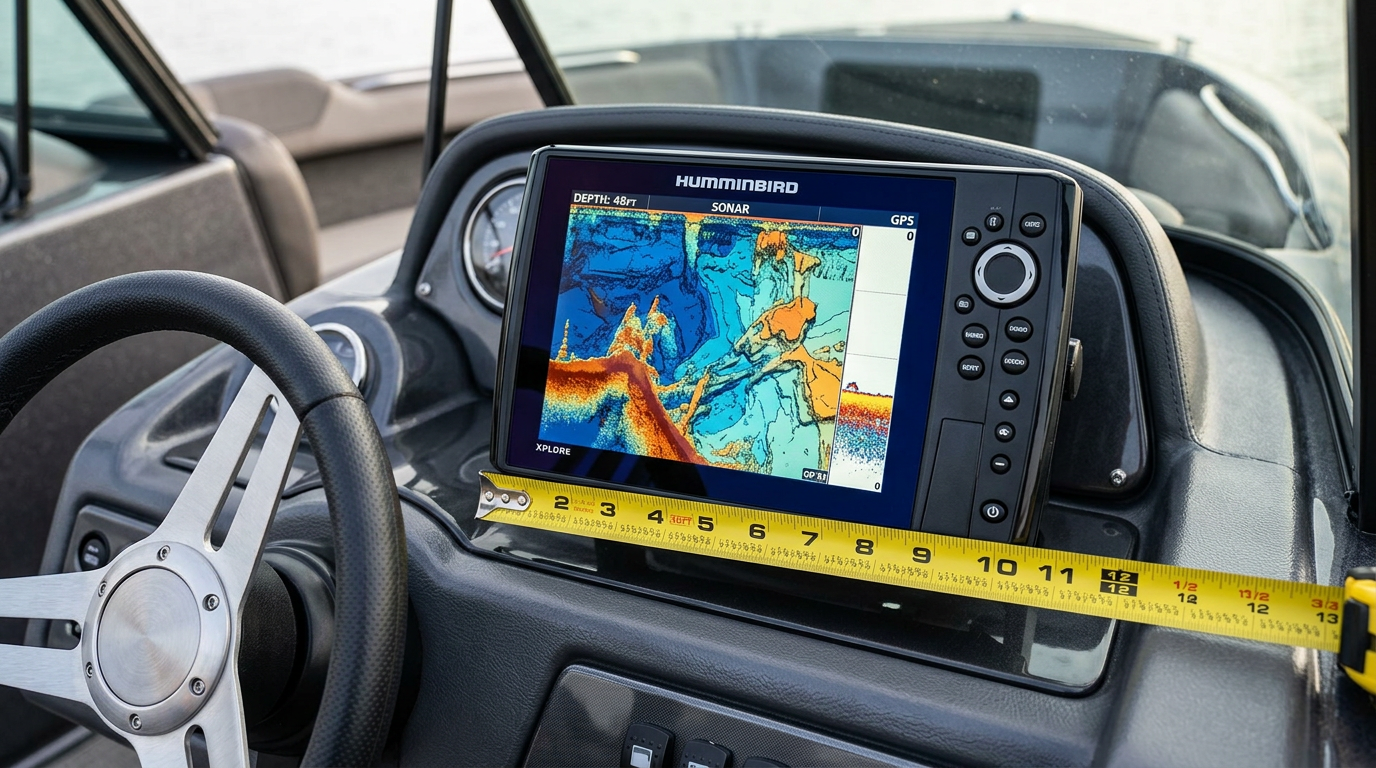
Is a 10-Inch XPLORE Right for Your Boat?
A 10-inch Humminbird fish finder offers a noticeably larger viewing area than smaller models, but that size only pays off if your boat's console, helm or bow layout can actually accommodate it comfortably. This guide walks through the practical checks to run before deciding the 10-inch XPLORE is the right fit.
Start With Mounting Dimensions
Before anything else, measure the flat mounting space available on your console, dash or bracket location. A 10-inch display requires meaningfully more surface area than an 5- or 7-inch unit, and confirming this footprint fits without crowding other gauges, switches or steering hardware is the first practical filter.
Consider Your Actual Viewing Distance
A larger screen matters most when your viewing distance is greater — for example, a helm-mounted unit viewed from a captain's seat several feet away benefits more from a 10-inch display than a unit mounted close to a bow seat where a smaller screen may already be easy to read. Think about where you'll actually be sitting or standing relative to the screen during normal use.
Helm vs. Bow Position
Helm installations typically have more available space and benefit from the wider field of view a 10-inch screen provides for navigation, mapping and sonar simultaneously. Bow-mount installations, often paired with trolling motors, may have tighter deck space and could call for a more compact display depending on your boat's layout. Match the screen size to the position it will actually occupy.
Installation Style and Bracket Compatibility
Confirm whether you're flush-mounting into a dash cutout or using a gimbal bracket on an existing mount, since a 10-inch unit's mounting hardware and required cutout dimensions differ from smaller models. If you're retrofitting into a space previously occupied by a smaller Humminbird display, verify the new unit's footprint and bracket pattern before purchasing.
When a Smaller Display Might Serve You Better
If your available mounting space is limited, your viewing distance is short, or you're installing at the bow alongside a trolling motor, a smaller Humminbird model may be a more practical and comfortable fit than forcing a 10-inch unit into a tight space.
Key Takeaway: Measure your actual mounting space and viewing distance, then match the 10-inch XPLORE to a helm or bow position where its larger screen and mounting footprint genuinely fit.
Pre-Purchase Fit Checklist
- Measure available mounting space at your intended install location
- Estimate your realistic viewing distance from the seated or standing position
- Decide between a helm or bow installation based on available space
- Confirm bracket type and cutout dimensions match your console
- Compare against a smaller Humminbird model if space is limited
Frequently Asked Questions
Can a 10-inch XPLORE replace a 7-inch unit in the same bracket?
Not automatically — confirm the mounting footprint and cutout dimensions match before assuming a direct swap.
Is a larger screen always better for fishing?
Not necessarily. A larger screen helps most when viewing distance is greater and mounting space allows it; in tight bow installations, a smaller display can be more practical.
Does the 10-inch XPLORE need a different bracket than smaller Humminbird models?
Confirm your exact bracket and mount type, since hardware can differ across screen sizes.
Not sure if the 10-inch XPLORE fits your boat? Contact our team for installation guidance.