


XPLORE 12 Bow and Helm Mounting Checklist
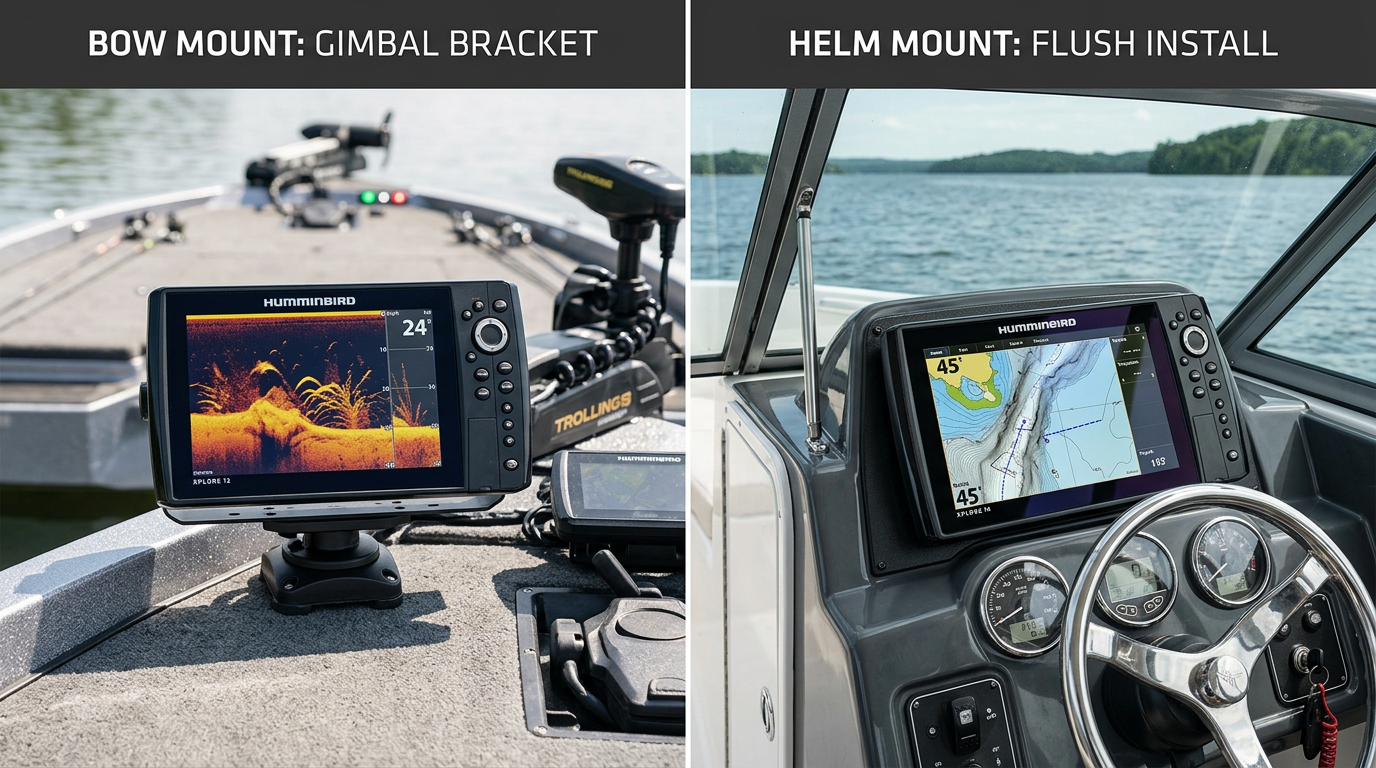
XPLORE 12 Bow and Helm Mounting Checklist
Deciding on XPLORE 12 mounting position — bow or helm — shapes almost every other part of your installation. This checklist walks through XPLORE 12 bow mount and XPLORE 12 helm installation considerations, including display clearance, wiring access and integration with the electronics already on your boat.
Bow Mounting Considerations
Bow installations are common on boats running a trolling motor, where the XPLORE 12 sits close to the angler for real-time sonar and mapping while approaching structure. Confirm deck space near your trolling motor mount can accommodate the 12-inch unit's footprint without interfering with foot control pedals, storage hatches or casting room.
Helm Mounting Considerations
Helm installations typically offer more surface area and depth behind the console, making them well suited to a larger 12-inch display used for navigation, mapping and sonar simultaneously from the captain's position. Confirm the helm's viewing angle keeps the screen readable in direct sunlight from your normal driving position.
Display Clearance at Either Position
Whether mounting at the bow or helm, confirm the unit doesn't obstruct sightlines, steering movement, or foot control access. At the bow specifically, check clearance against the trolling motor's stow and deploy range so the display never interferes with motor movement.
Wiring Access for Both Locations
Bow installations often require running power and transducer cabling a longer distance back to the battery and any shared network, while helm installations are typically closer to existing wiring runs. Confirm accessible routing paths exist at your chosen location before finalizing the mount.
Integration With Existing Marine Electronics
If you already run other Humminbird displays, a trolling motor with One-Boat Network compatibility, or additional sensors, confirm how a new XPLORE 12 at either the bow or helm will integrate with that existing network before finalizing placement and wiring.
Key Takeaway: Match your XPLORE 12 mounting position to how you actually fish, then confirm display clearance, wiring access and integration with existing electronics before finalizing placement.
Bow vs. Helm Mounting Checklist
- Confirm deck or console space fits the 12-inch unit's footprint
- Check clearance against trolling motor movement (bow) or steering (helm)
- Evaluate screen readability and viewing angle at the chosen position
- Plan wiring access and routing distance to power and network sources
- Confirm integration with any existing Humminbird or Minn Kota network
Frequently Asked Questions
Is bow mounting only for boats with a trolling motor?
Bow mounting is most common alongside a trolling motor, but confirm your specific boat layout and use case before deciding.
Can I run both a bow and helm XPLORE 12 unit together?
Yes, provided your network setup and wiring support multiple displays — confirm compatibility before planning a dual-unit installation.
Does helm mounting require a different bracket than bow mounting?
Confirm the specific bracket and mounting hardware for your chosen location, since helm and bow installations often use different mount types.
Need help deciding between bow or helm mounting? Contact our team for guidance.