Skip to content

Customer Service

+1 888 812 6287

Cart
0 items

Minn Kota Ulterra QUEST vs. Brushed Models Compared
by Sulman Bukhari 08 Sep 2026
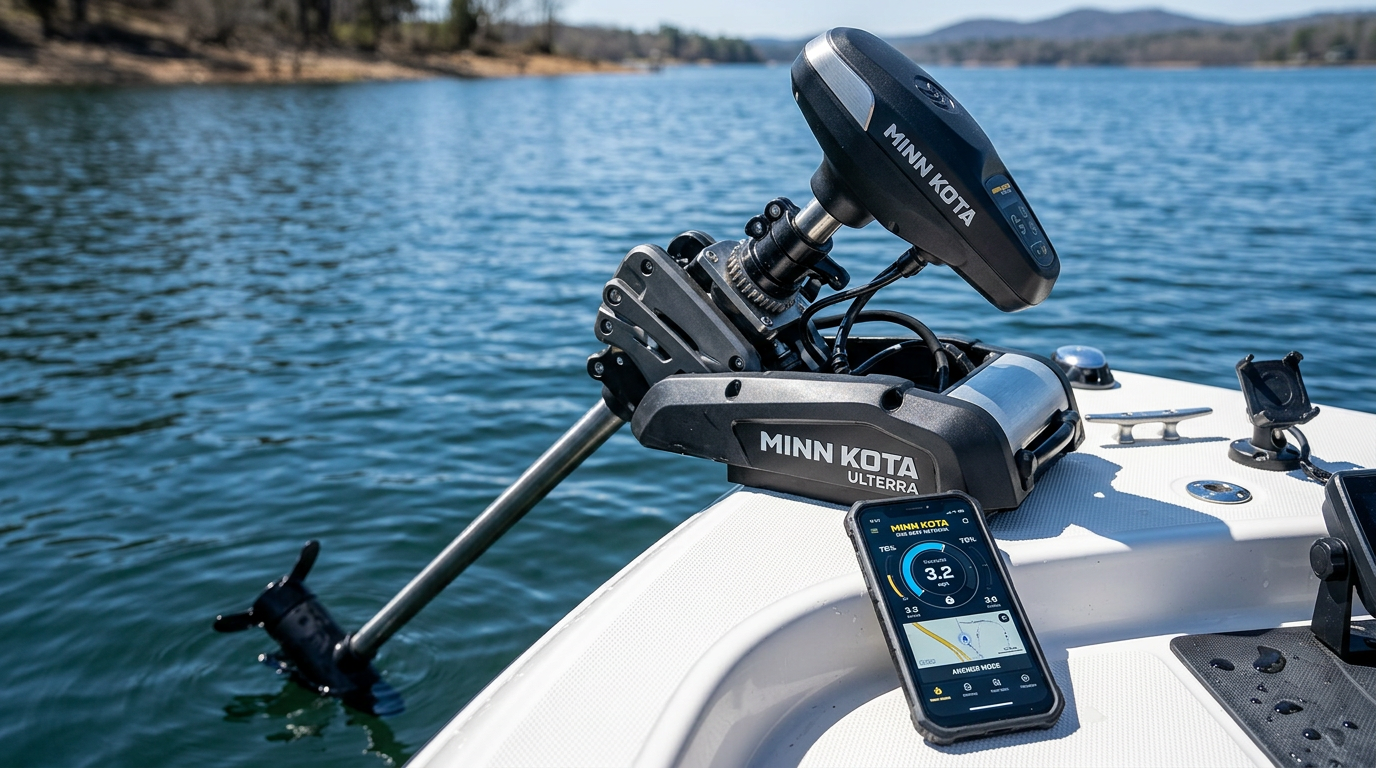
Close-up of a Minn Kota Ulterra trolling motor auto stow and deploy mechanism with a smartphone showing a boat control app

Minn Kota Ulterra Auto Stow/Deploy and Power Trim Explained

Ulterra's signature automation features — Auto Stow/Deploy and Power Trim — set it apart from manually operated trolling motors. This guide explains how these controls work across supported remotes, foot pedals, the One-Boat Network App and compatible Humminbird interfaces.

What Auto Stow/Deploy Does

Auto Stow/Deploy lets you raise and lower the Ulterra motor at the push of a button, without manually lifting or lowering the shaft by hand. This automated function is one of the defining features that separates Ulterra from other Minn Kota trolling motor lines.

Understanding Power Trim

Power Trim allows on-the-fly depth adjustment of the motor while it's deployed, letting you fine-tune prop depth based on changing water conditions without needing to fully stow and redeploy the unit.

Supported Control Methods

Auto Stow/Deploy and Power Trim can be operated through supported wireless remotes and foot pedals, giving you flexibility in how you trigger these automated functions depending on your position on the boat.

One-Boat Network App Integration

Ulterra automation also integrates with the One-Boat Network App, allowing stow, deploy and trim functions to be triggered from a connected mobile device as part of a broader boat control ecosystem.

Compatible Humminbird Interfaces

Select Humminbird display units can also interface with Ulterra's automation features, centralizing stow, deploy and trim control alongside your existing sonar and navigation screen. Confirm compatibility between your specific Humminbird model and Ulterra MPN before relying on this integration.

Key Takeaway: Ulterra's Auto Stow/Deploy and Power Trim can be controlled through remotes, foot pedals, the One-Boat Network App and compatible Humminbird displays — confirm which control paths matter most to you before choosing an MPN.

Ulterra Automation Control Paths

Control Method Best For
Wireless remote Hands-free stow/deploy from anywhere on the boat
Foot pedal Continuous control while both hands are free
One-Boat Network App Integrated mobile control alongside other boat systems
Compatible Humminbird display Centralized control with existing sonar/navigation screen

Frequently Asked Questions

Does every Ulterra model support all four control methods?
Compatibility varies by exact MPN — confirm which control paths are supported for the specific Ulterra configuration you're considering.

Is Power Trim necessary for all fishing conditions?
It's most valuable when water conditions change during a trip, allowing depth fine-tuning without fully stowing and redeploying the motor.

Not sure how Ulterra's automation fits your boat setup? Contact our team for guidance.

Prev post
Next post

Thanks for subscribing!

This email has been registered!

Shop the look

Choose options

Recently viewed

Edit option
Terms & conditions
1. Terms of Use By accessing or using this website, you agree to comply with and be bound by these Website Terms and Conditions of Use, all applicable laws, and regulations, and acknowledge that you are responsible for ensuring compliance with any applicable local laws. If you do not agree with any of these terms, you are prohibited from using or accessing this site. The materials on this website are protected by copyright and trademark law, and all rights are reserved. 2. Use License Mariners Warehouse grants you permission to temporarily download one copy of the materials (information or software) on its website for personal, non-commercial, transitory viewing only. This is the grant of a license, not a transfer of ownership, and under this license, you may not: Modify or copy the materials; Use the materials for any commercial purpose or public display (commercial or non-commercial); Attempt to decompile or reverse-engineer any software contained on Mariners Warehouse website; Remove any copyright or proprietary notations from the materials; or Transfer the materials to another person or “mirror” them on any other server. This license shall automatically terminate if you violate any of these restrictions and may be terminated by Mariners Warehouse at any time. Upon termination of your viewing of these materials or upon termination of this license, you must destroy any downloaded materials in your possession, whether in electronic or printed format. 3. Disclaimer The materials on Mariners Warehouse’s website are provided “as is.” Mariners Warehouse makes no warranties, either expressed or implied, and hereby disclaims and negates all other warranties, including, but not limited to, implied warranties or conditions of merchantability, fitness for a particular purpose, or non-infringement of intellectual property or other violations of rights. Furthermore, Mariners Warehouse does not warrant or make any representations concerning the accuracy, likely results, or reliability of the use of the materials on its website, or otherwise relating to such materials, or on any sites linked to this site. 4. Limitations of Liability In no event shall Mariners Warehouse or its suppliers be liable for any damages, including but not limited to, damages for loss of data or profits, or due to business interruption, arising out of the use or inability to use the materials on Mariners Warehouse website, even if Mariners Warehouse or an authorized representative has been notified orally or in writing of the possibility of such damage. Because some jurisdictions do not allow limitations on implied warranties, or limitations of liability for consequential or incidental damages, these limitations may not apply to you. 5. Revisions and Errata The materials appearing on Mariners Warehouse website could include technical, typographical, or photographic errors. Mariners Warehouse does not warrant that any of the materials on its website are accurate, complete, or current. Mariners Warehouse may make changes to the materials contained on its website at any time without notice. However, Mariners Warehouse makes no commitment to update the materials on its website. 6. Links to Third-Party Sites Mariners Warehouse has not reviewed all of the sites linked to its website and is not responsible for the contents of any such linked sites. The inclusion of any link does not imply endorsement by Mariners Warehouse of the site. Use of any linked website is at the user’s own risk. 7. Modifications to Site Terms of Use Mariners Warehouse may revise these Terms of Use for its website at any time without notice. By using this website, you agree to be bound by the then-current version of these Terms and Conditions of Use. 8. Governing Law Any claim relating to Mariners Warehouse website shall be governed by the laws of the State of Florida, without regard to its conflict of law provisions.

Choose options

this is just a warning
Login
Shopping cart
0 items